How to use TileBuddy
From an empty table to your first finished game. Follow the numbers: each one points at the button to tap.
- 0. Pick your style
- 1. Set up a game
- 2. Play on the board
- 3. Record a win
- 4. Score the hand
- 5. See who wins and loses points
- 6. Finish the game
- 7. Look up any hand
- 8. Keep your games
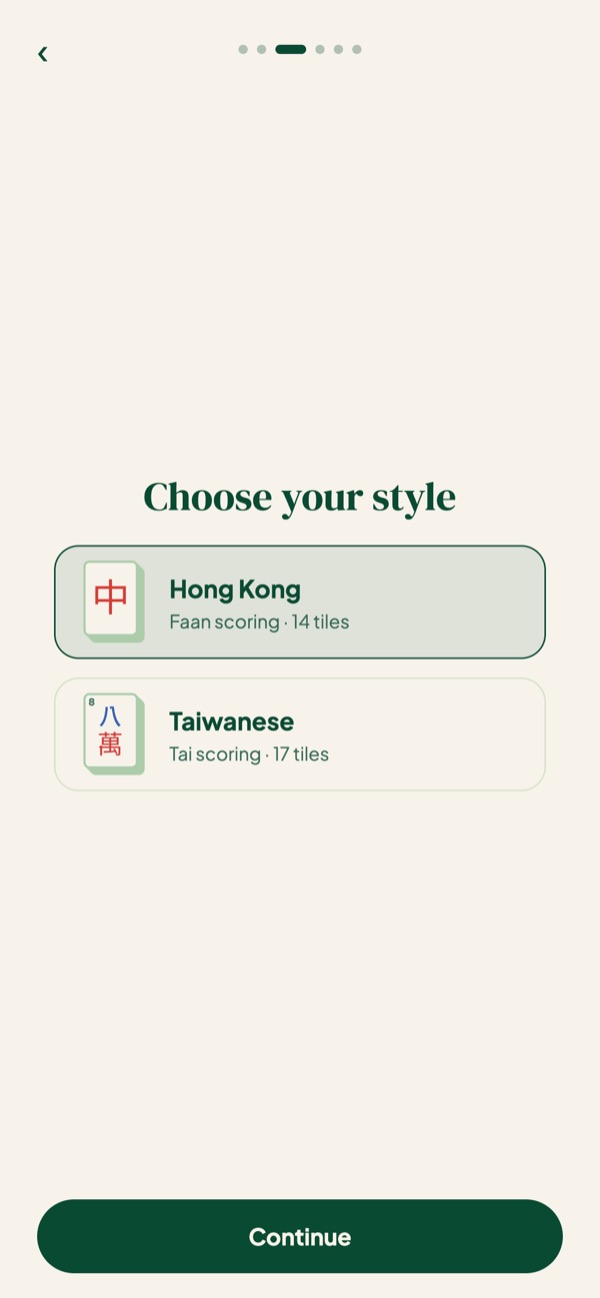
Step 0
Pick your style
You chose this the first time you opened TileBuddy. You can change it any time.
- 1 Hong Kong scores in faan, with 14-tile hands.
- 2 Taiwanese scores in tai, with 17-tile hands.
- 3 To switch, tap the Hong Kong button at the top of the app.
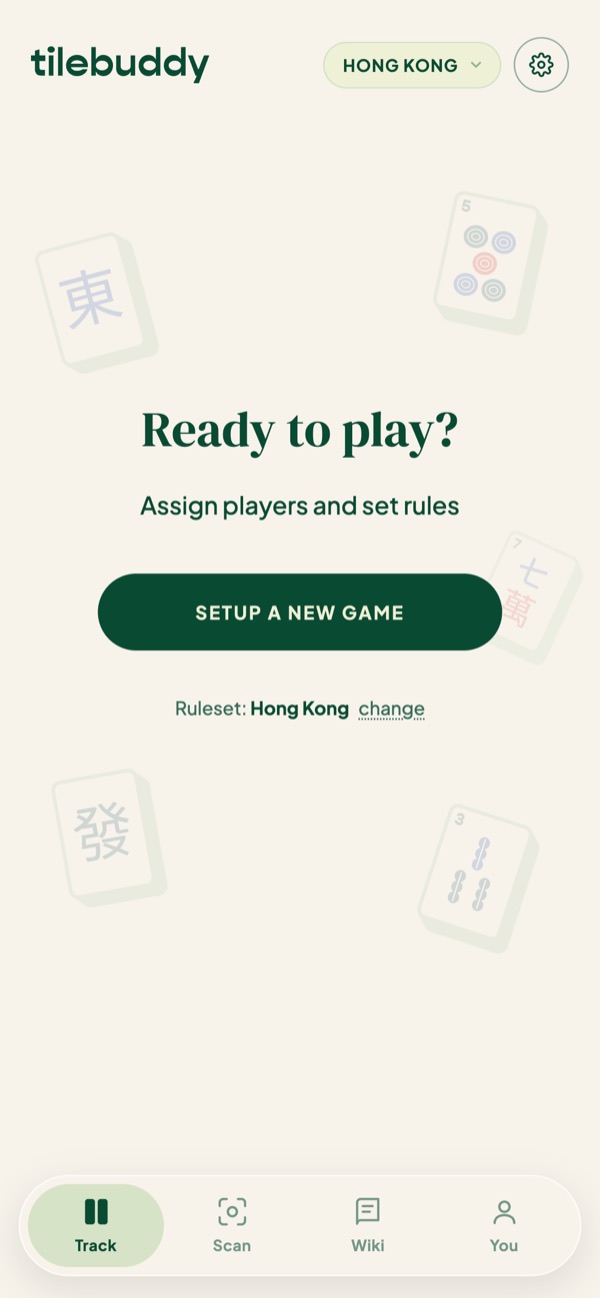
Step 1
Set up a game
Four names and a couple of taps, and you're at the table.
- 1 On Track, tap Setup a new game.
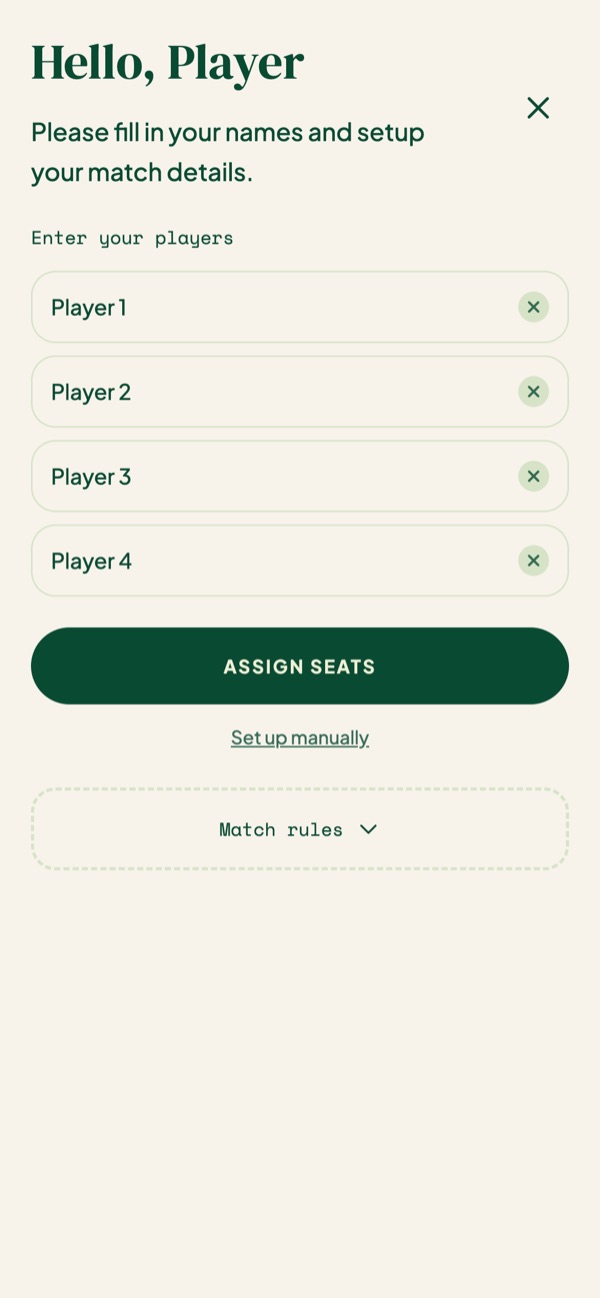
- 2 Type your four players. People you've played with before pop up as you type.
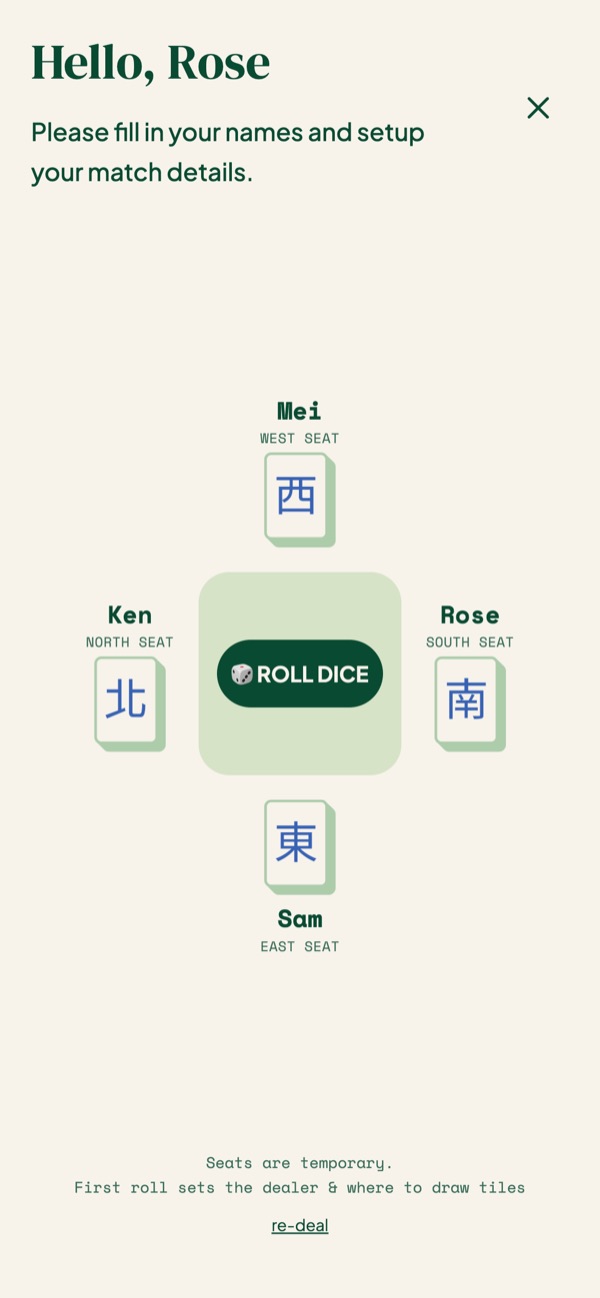
- 3 Tap Assign seats and TileBuddy draws the winds.
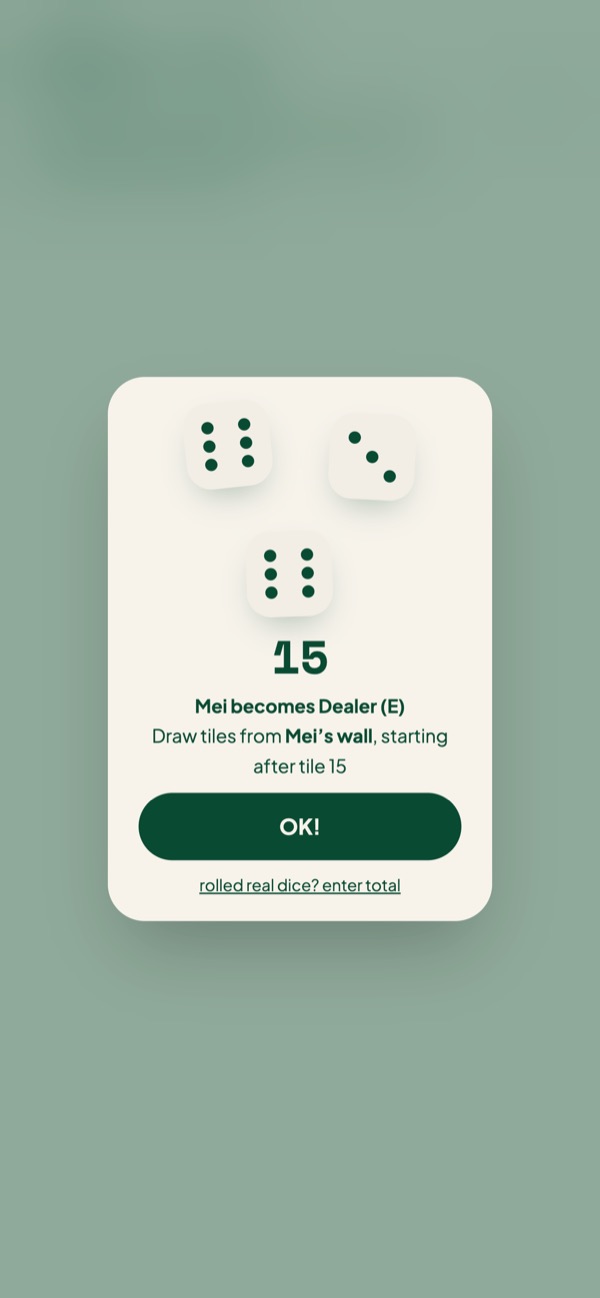
- 4 Tap Roll dice to pick the dealer and where to break the wall. Rolled real dice? Enter your total instead.
Also in this step
Step 2
Play on the board
Your table, laid out the way you're sitting.
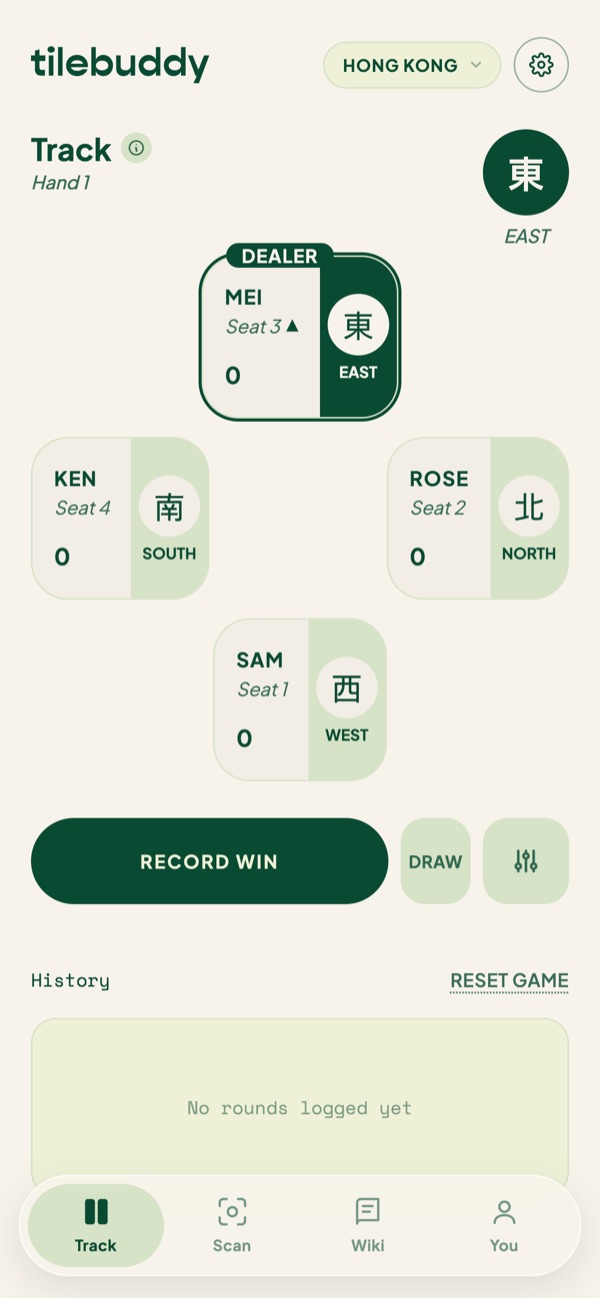
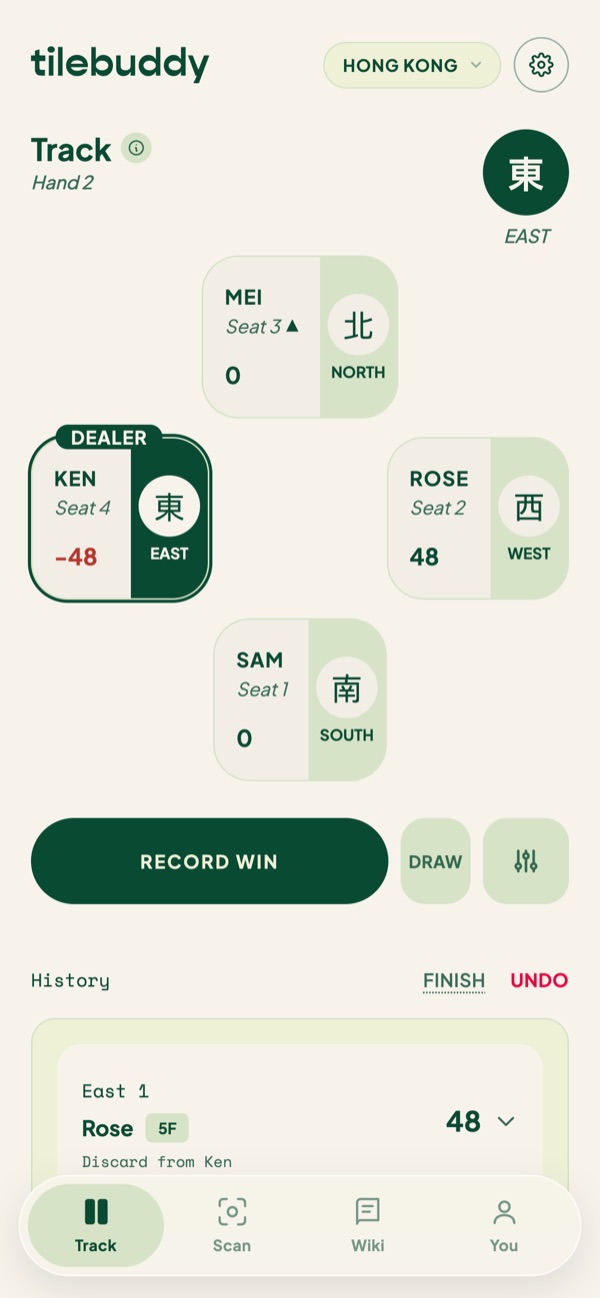
- 1 The round wind sits in the top corner.
- 2 The dealer is marked, and every player shows their seat wind and running points.
- 3 When a hand ends, tap Record win, or Draw if nobody won.
Step 3
Record a win
Someone just called a win. Tell TileBuddy who and how.
- 1 Tap Record win, then tap who won.
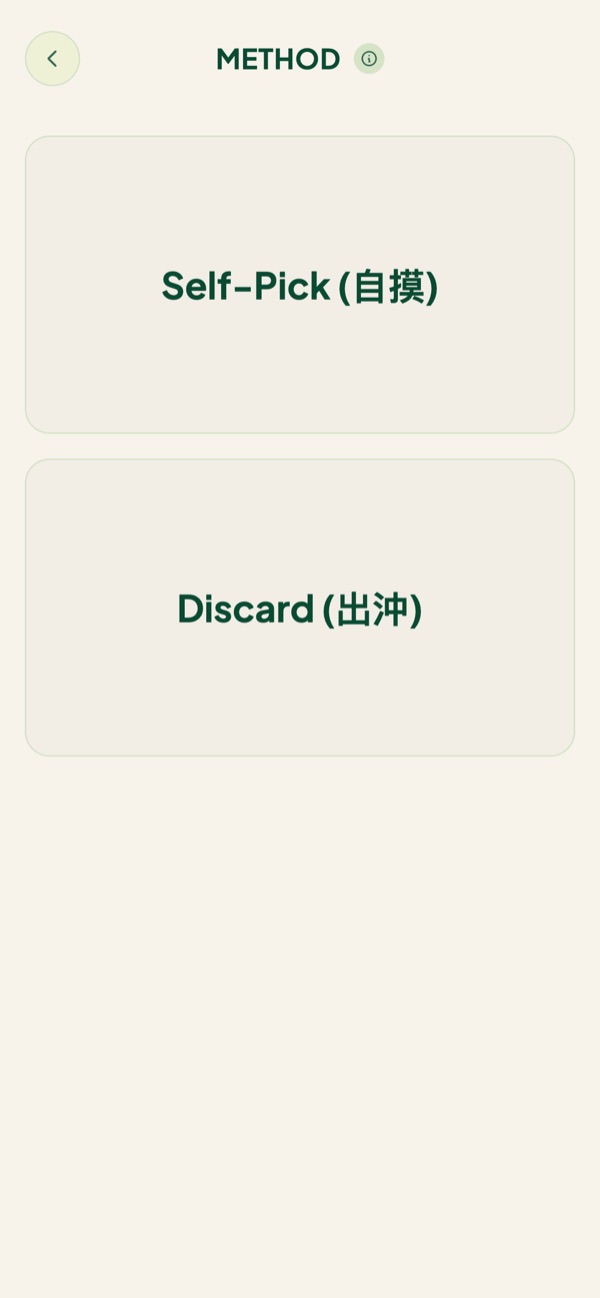
- 2 Self-Pick (自摸) if they drew the winning tile from the wall.
- 3 Discard (出沖) if they won off someone's discard. Then tap who threw it, because that player loses more points.
Also in this step

Step 4
Score the hand
Three ways to get the faan. Use whichever is fastest at your table.
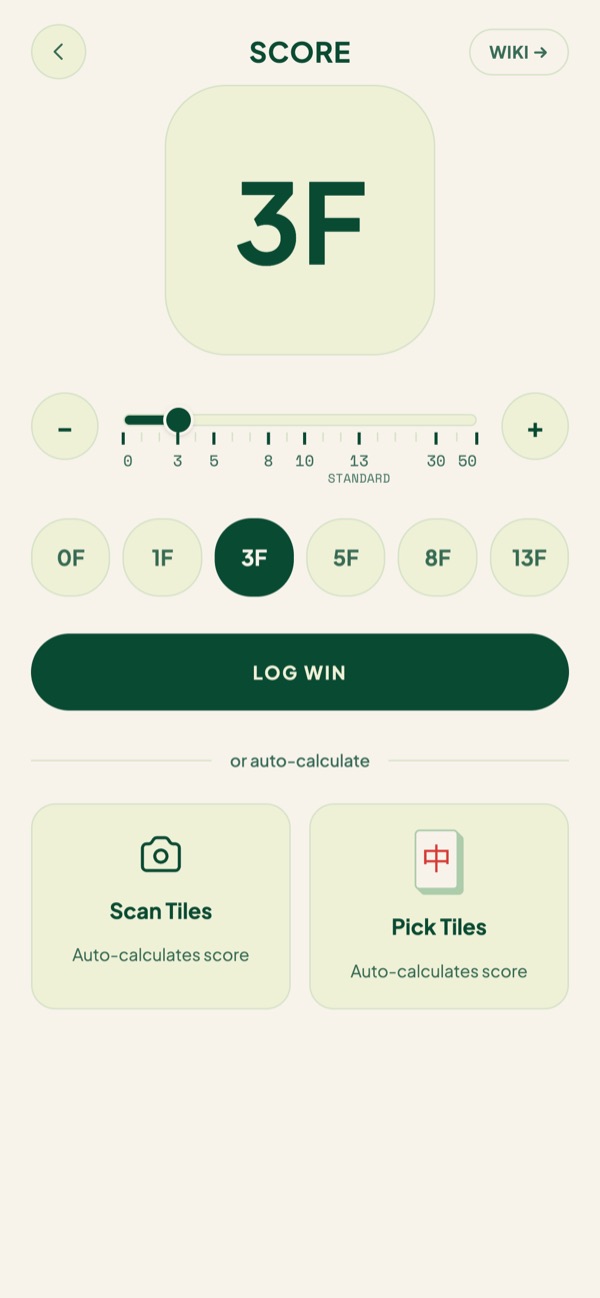
- 1 Tap the faan if you already know it, then Log win.
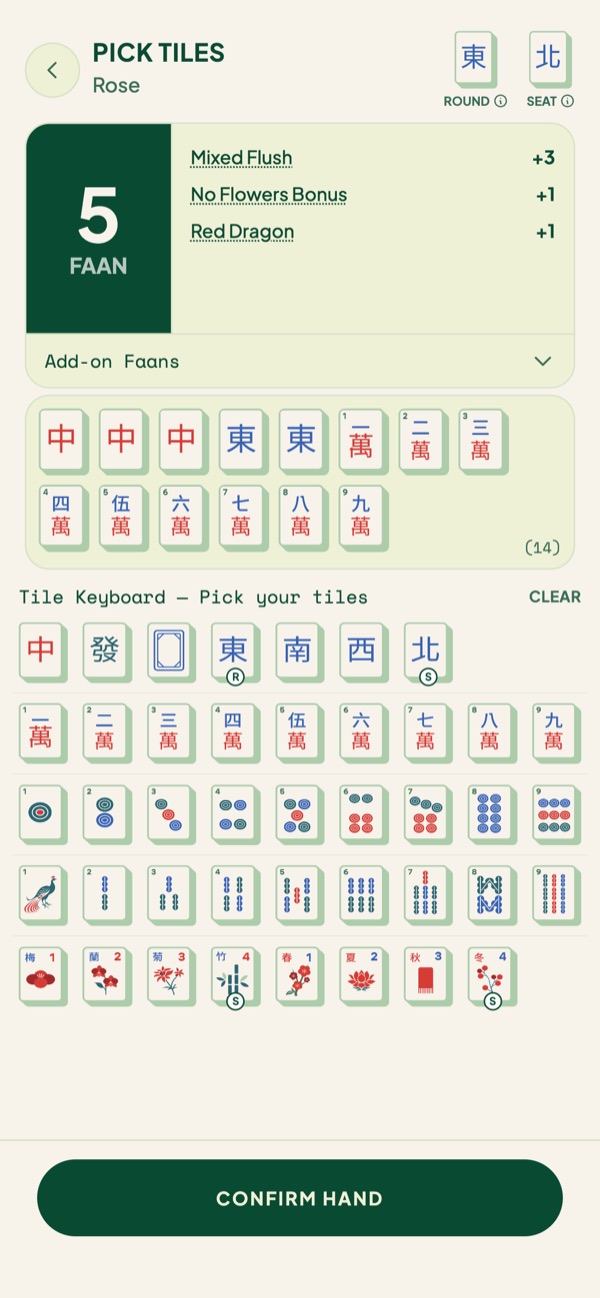
- 2 Pick Tiles to tap in the winning hand and let TileBuddy add it up.
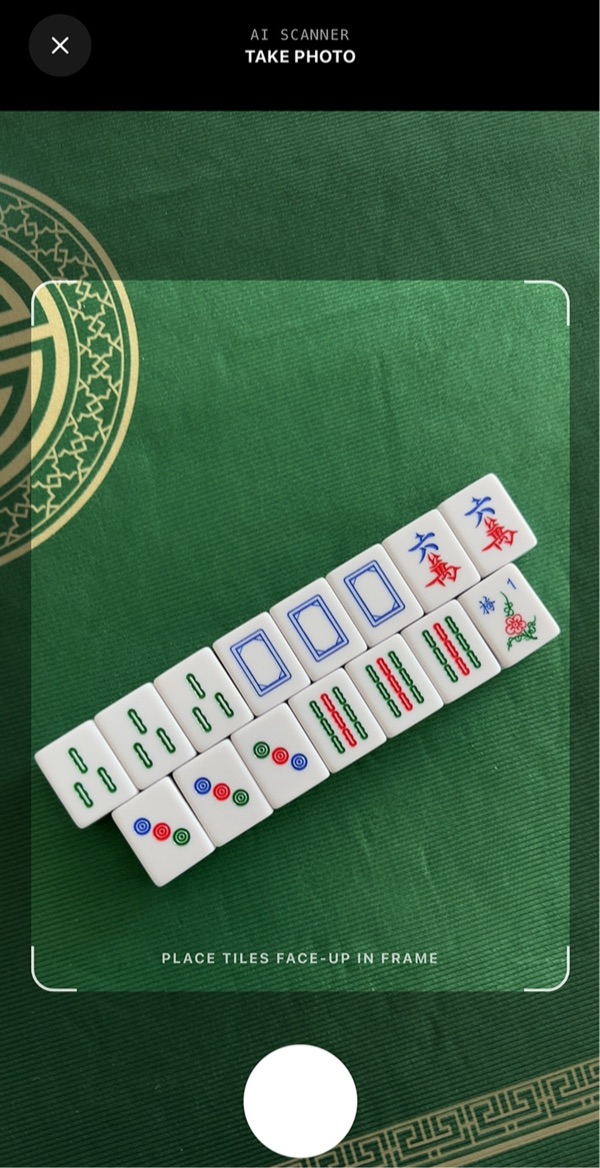
- 3 Scan Tiles to take a photo and let TileBuddy read the tiles.
Tap the faan
Already know it? Tap the number, from 0F to 13F, then Log win.
Pick Tiles
Tap in the 14 winning tiles. TileBuddy finds every pattern. This hand scored Mixed Flush, No Flowers and Red Dragon for 5 faan.
Scan Tiles
Lay the hand face up and take a photo. TileBuddy reads the tiles and scores them for you.
Also in this step
Step 5
See who wins and loses points
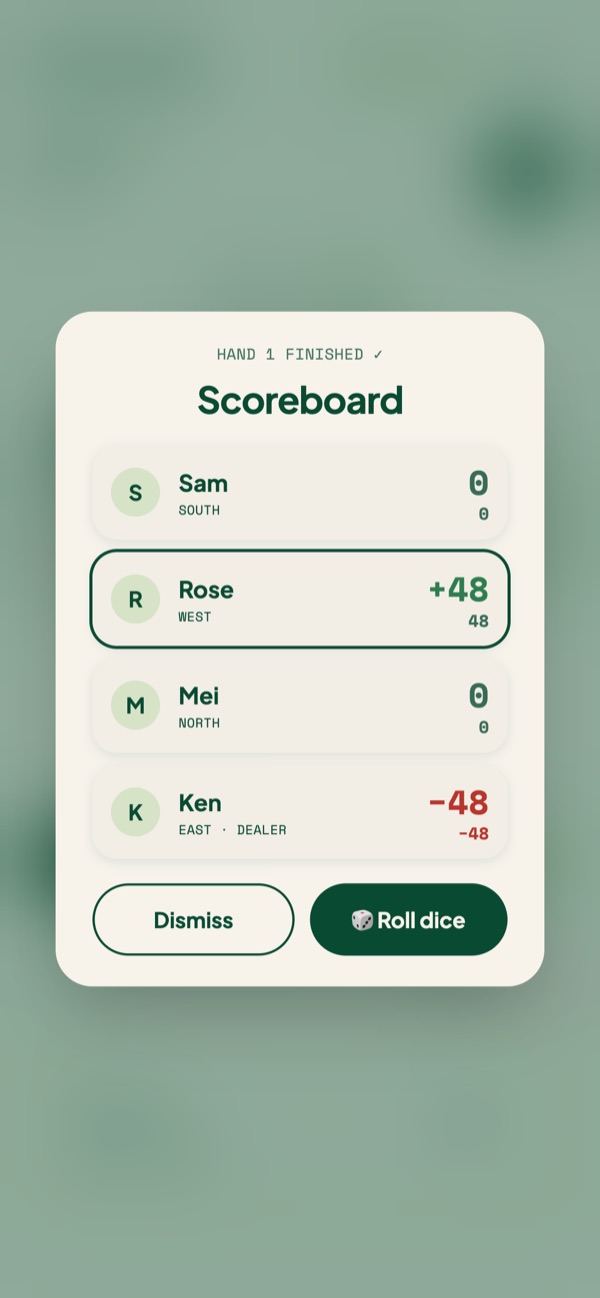
After every hand you get the scoreboard.
- 1 See who won points, who lost points and everyone's running total.
- 2 Every hand is saved under History on the board.
- 3 Logged one wrong? Tap Undo.
Also in this step
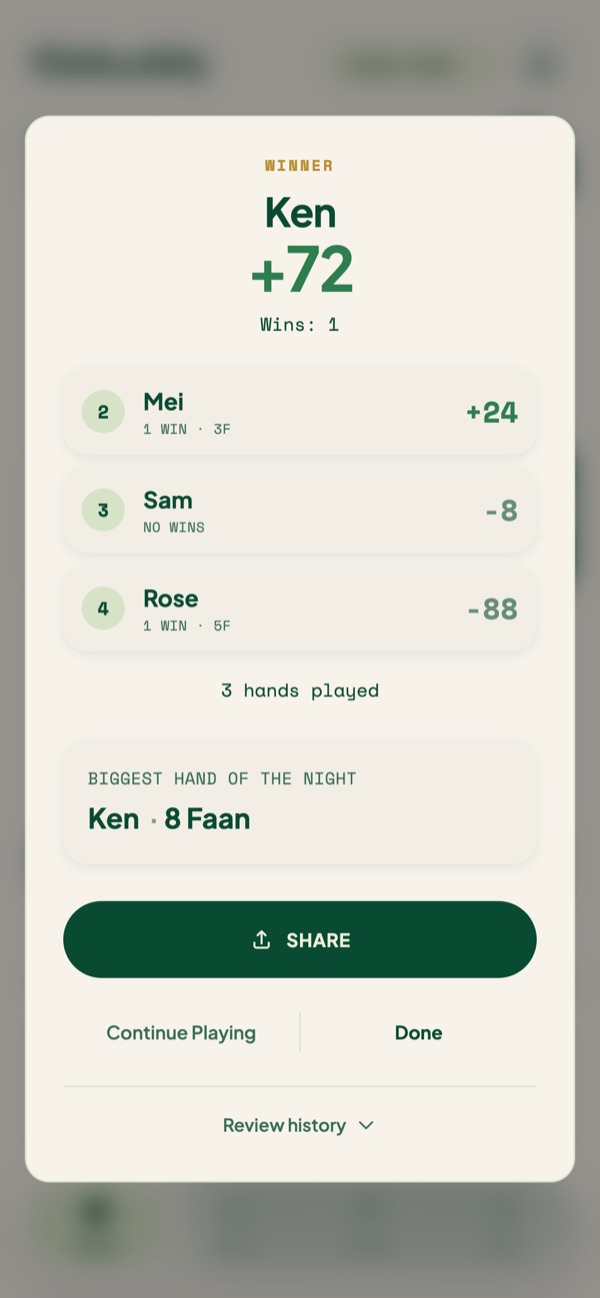
Step 6
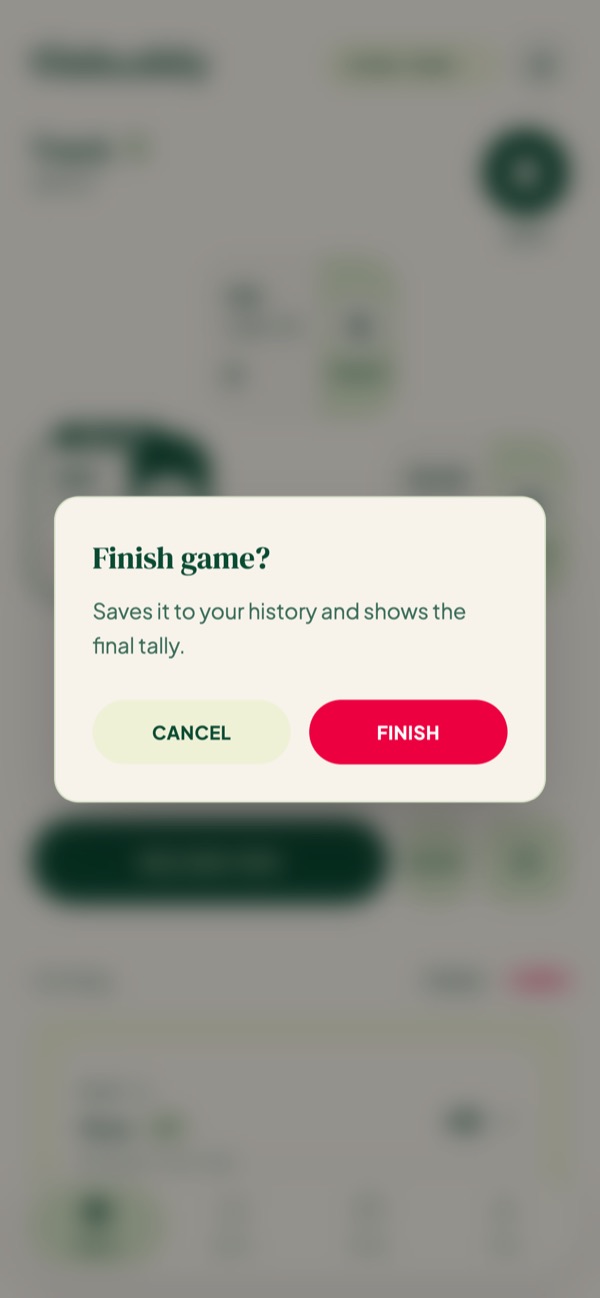
Finish the game
Done for the night? Wrap it up.
- 1 Tap Finish, then Finish again to confirm.
- 2 You get the final tally: the winner, everyone's points and the biggest hand of the night.
- 3 Tap Share to send it to the group chat.
- 4 Not done after all? Continue playing picks up where you left off.
Also in this step
Step 7
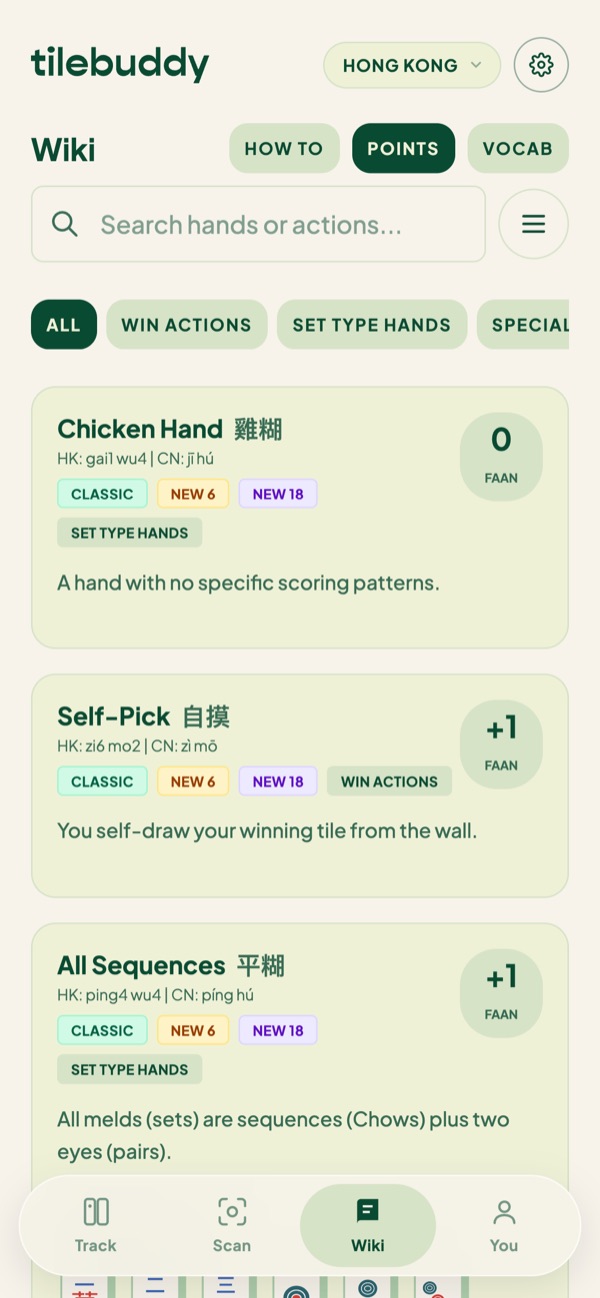
Look up any hand
Someone claims a hand you've never heard of. Check it in seconds.
- 1 Points lists every scoring hand with its faan and Chinese name.
- 2 Search by name, or filter by type.
- 3 How to covers the game itself: the dealer, the wall, dealing and turns.
Step 8
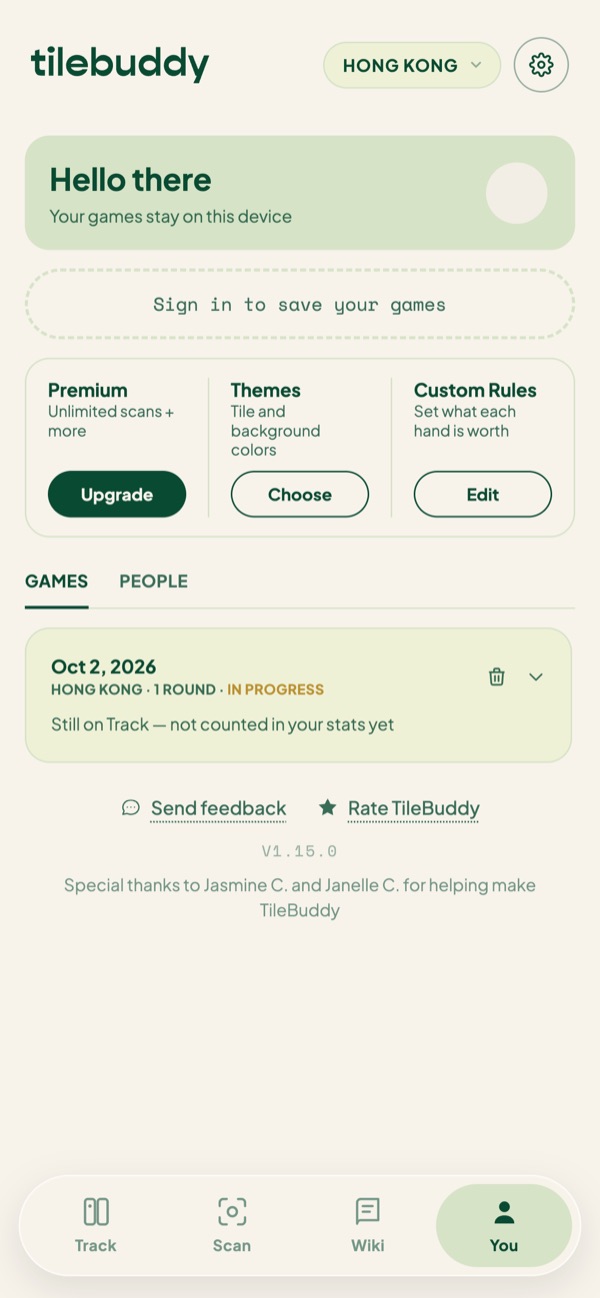
Keep your games
Your games live on your phone until you sign in.
- 1 Sign in to save your games to your account, so they move with you to a new phone.
- 2 Signed in, you can add friends and follow their games live.
- 3 Your finished games and stats live on You.
Questions?
Email hello@tilebuddy.app. I read every one, and they shape what goes into the next update.