House rules and custom scoring
Every mahjong table plays a little differently. One group counts Seven Pairs, another doesn't. One pays 7 faan for a Full Flush, another pays 8. TileBuddy lets you score the way your table actually plays.
1. Pick a hand style
When you set up a game, choose which hands count. This is the quickest way to match your table.
| Classic | Traditional Hong Kong hands only. |
| New 6 | Adds 6 modern hands. |
| New 18 | The full set of 18 extra hands. |
| House Rule | New 18 plus popular house-rule hands, such as Seven Pairs, All Green and the Jewel Dragons. |
| Custom | Your own value for every hand, from a rule set you build. Premium. |
See every hand and its standard value in the Faan Wiki.
2. Build your own rule set
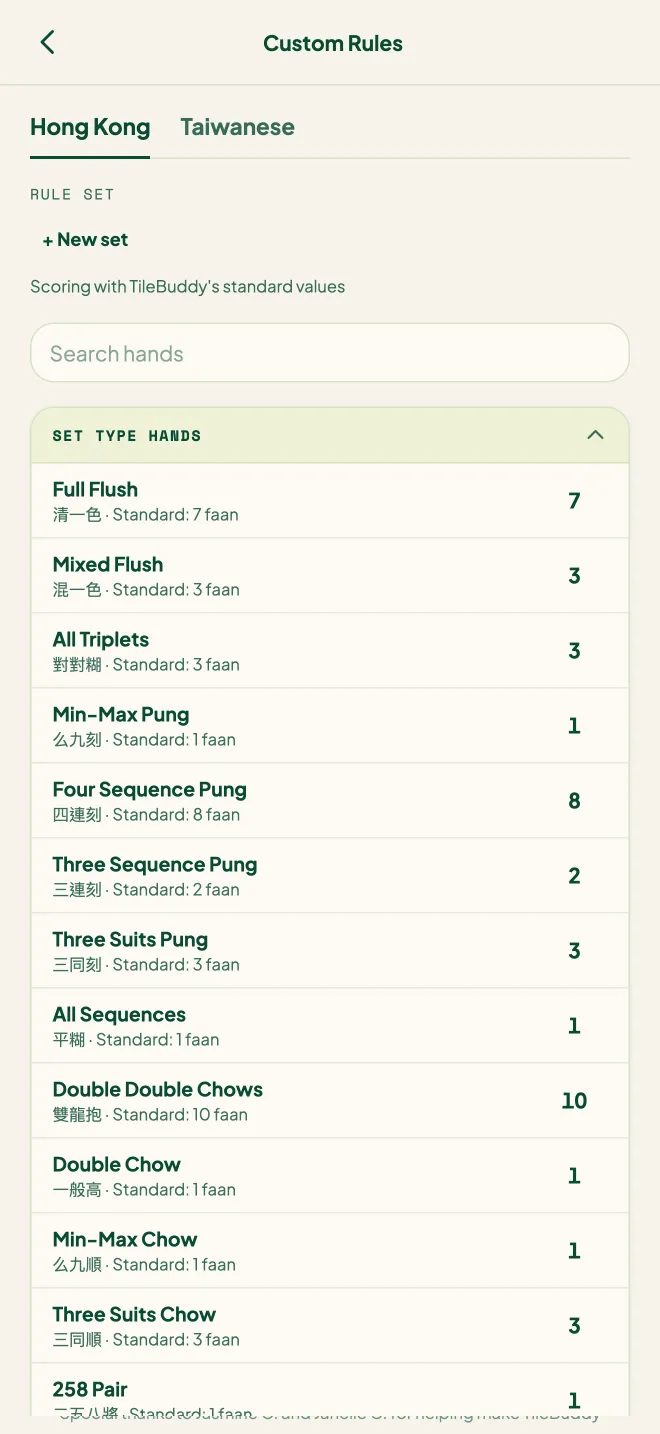
For full control, open Custom Rules on the You tab and make a new set. Each hand shows its standard value next to yours, so you can see what you've changed. You can:
- What each hand is worth, in faan (Hong Kong) or tai (Taiwanese)
- Which hands count at all: switch a hand off and it stops scoring
- Which house-rule hands are on, such as Seven Pairs
- Limit hands, flowers and seasons
Name your set after your group, such as "Thursday table", and activate it when you play with them. There are separate tabs for Hong Kong and Taiwanese scoring.
3. Use your rules in a league
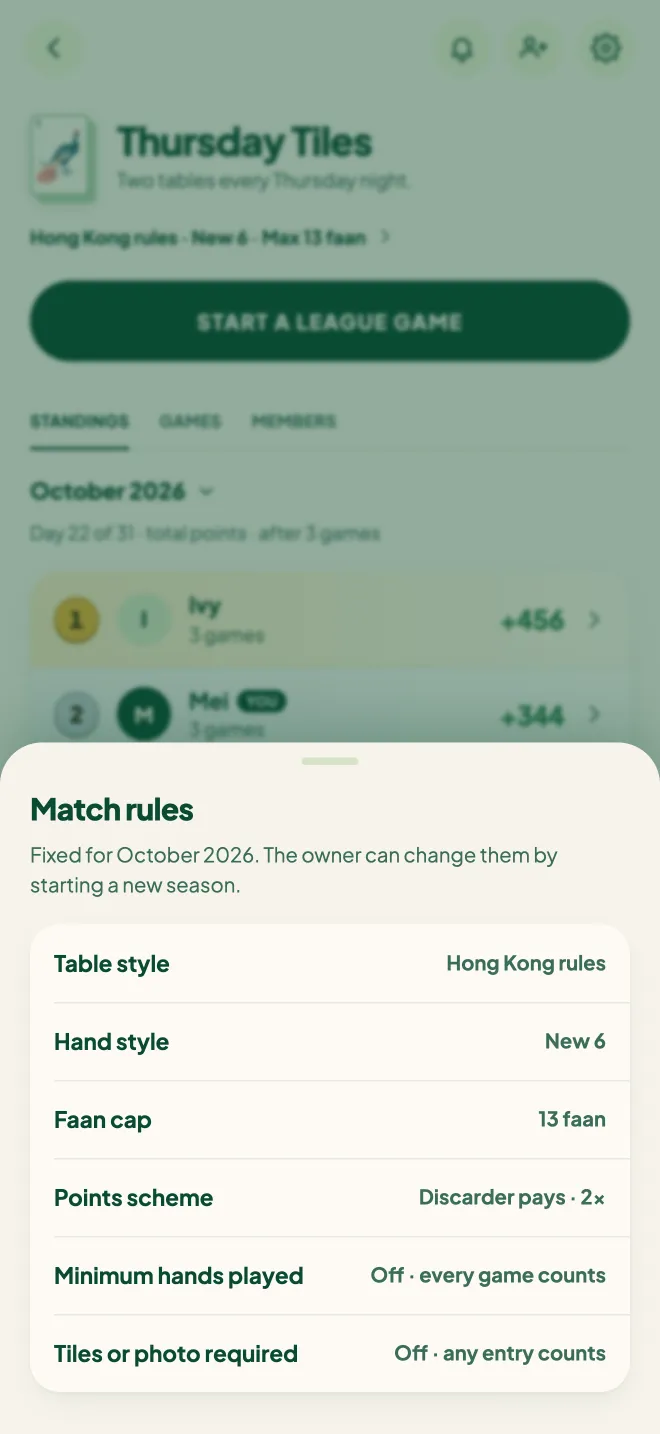
In a league, the owner pins the rules once: the standard rules, House, or one of their own rule sets. Every league game is then scored the same way, on every phone at the table.
Anyone in the league can open the rules to check them. They stay fixed for the season, so the standings stay fair; the owner changes them by starting a new season.
Questions
Do I need Premium?
Picking a hand style, including House Rule, is free. Building your own custom rule set is part of Premium.
Can I have more than one rule set?
Yes. Make a set for each group you play with and switch between them. TileBuddy's standard values are always there as the default.
Does a custom rule set work with the scanner?
Yes. Scan a hand and the score uses whichever rule set is active, or the league's rules in a league game.
How do rules work in a league?
The league owner picks the rules once: House, the standard rules, or one of their own rule sets. Every league game is scored under them, whatever each player's phone is set to.
Keep reading
- Hong Kong Mahjong Faan Wiki, every HK winning hand, scored in faan.
- Payment table, how faan turns into points.
- Mahjong leagues, standings for your regular group.
Score your table's way
Hand styles are free. Custom rule sets are part of Premium.